AI Spend Monitor for WordPress
WordPress 7.0 gave every plugin your AI key — and no meter.
One API key in Settings → Connectors now powers every AI plugin on your site, with no per-plugin spend visibility and no cap in core. A misconfigured plugin or a runaway loop shows up as a provider invoice, weeks later, with no way to tell which plugin did it. AI Spend Monitor answers the question core can't: which plugin is spending your money?
Free on the WordPress.org plugin directory · Automatic updates · GPLv2
Need a hard stop that protects your budget? AI Spend Governance — $39/yr Founder Early Beta →
Straight up: the Monitor sees and notifies — it never blocks a call. Budgets and a hard stop that refuses calls before your provider is charged are Governance's job. The Monitor is complete on its own and stays free either way.
It sees everything that uses WordPress's AI. Nothing that bypasses it.
Covered, automatically: any plugin or theme that makes AI calls through the WordPress 7.0 AI Client — the shared key in Settings → Connectors. That's the path WordPress is moving the whole ecosystem onto, and every plugin using it is attributed with zero integration work, including plugins released next year.
Not covered: plugins that ship their own API key and call OpenAI or Anthropic directly, bypassing WordPress. Plugins installed before WordPress 7.0 sometimes still do this.
Not sure about your plugins? The 60-second test: install the Monitor (it's free and changes nothing), trigger each AI feature once, and open the dashboard. Covered plugins appear immediately with their cost. A plugin that never appears is bypassing WordPress with its own key — which means it's also outside your shared-key setup and your future budgets. Either answer is worth having before the next invoice.
The meter WordPress 7.0 forgot to ship.
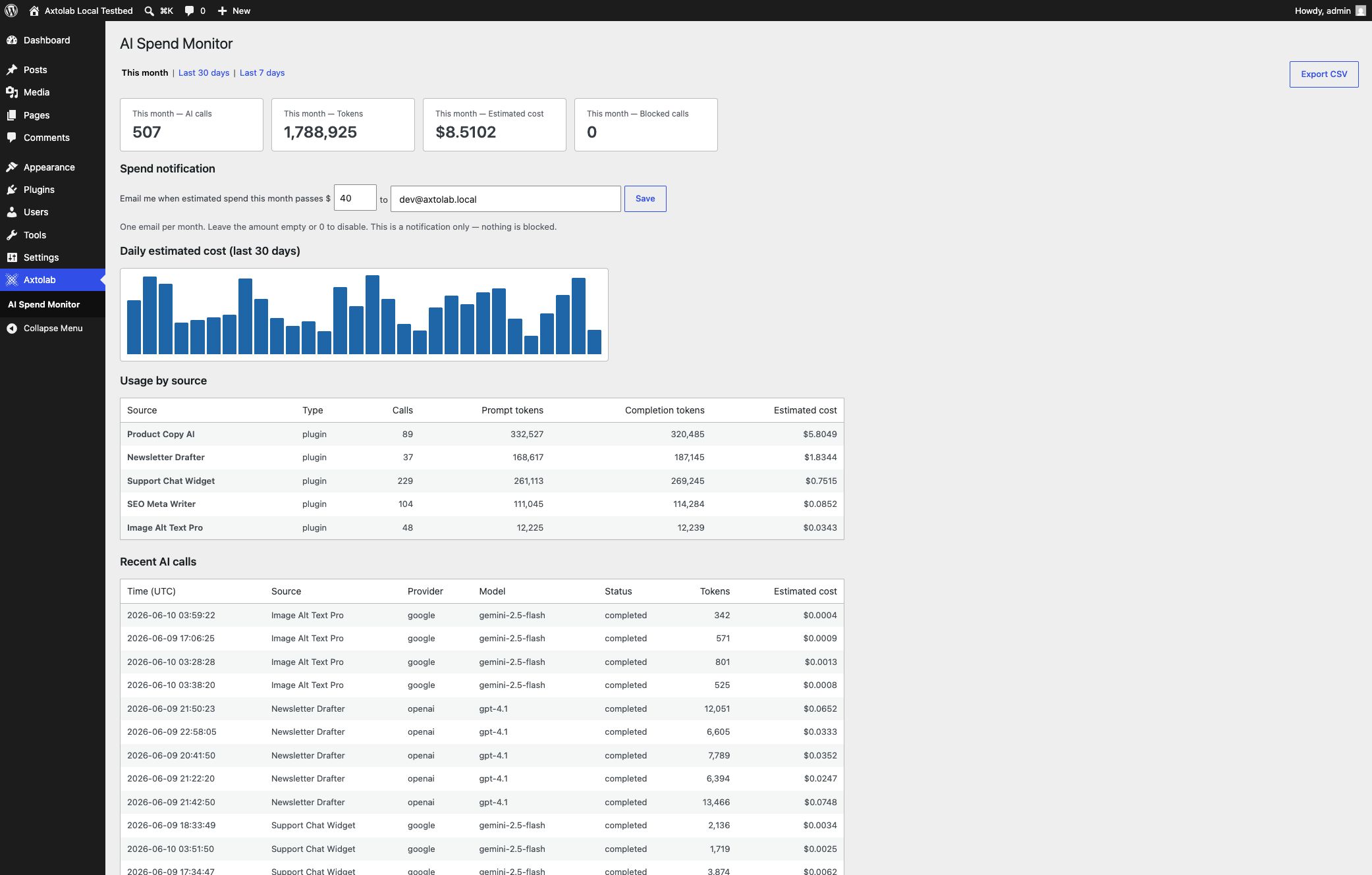
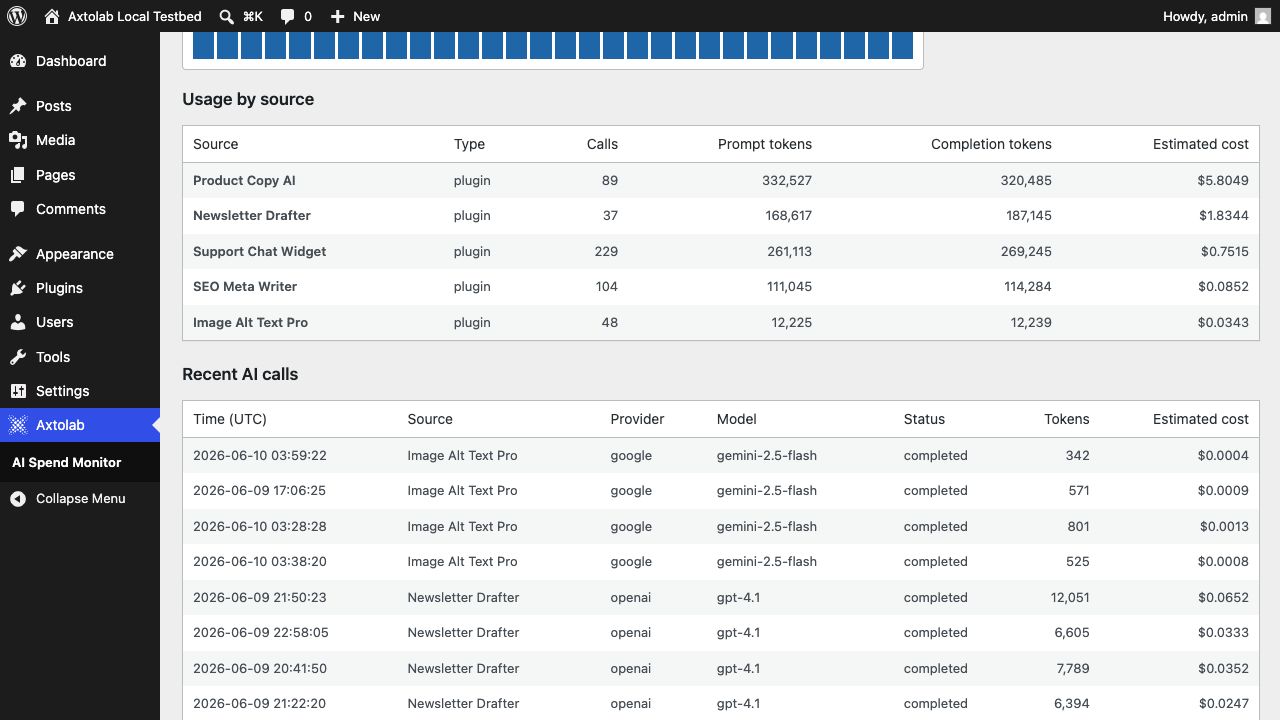
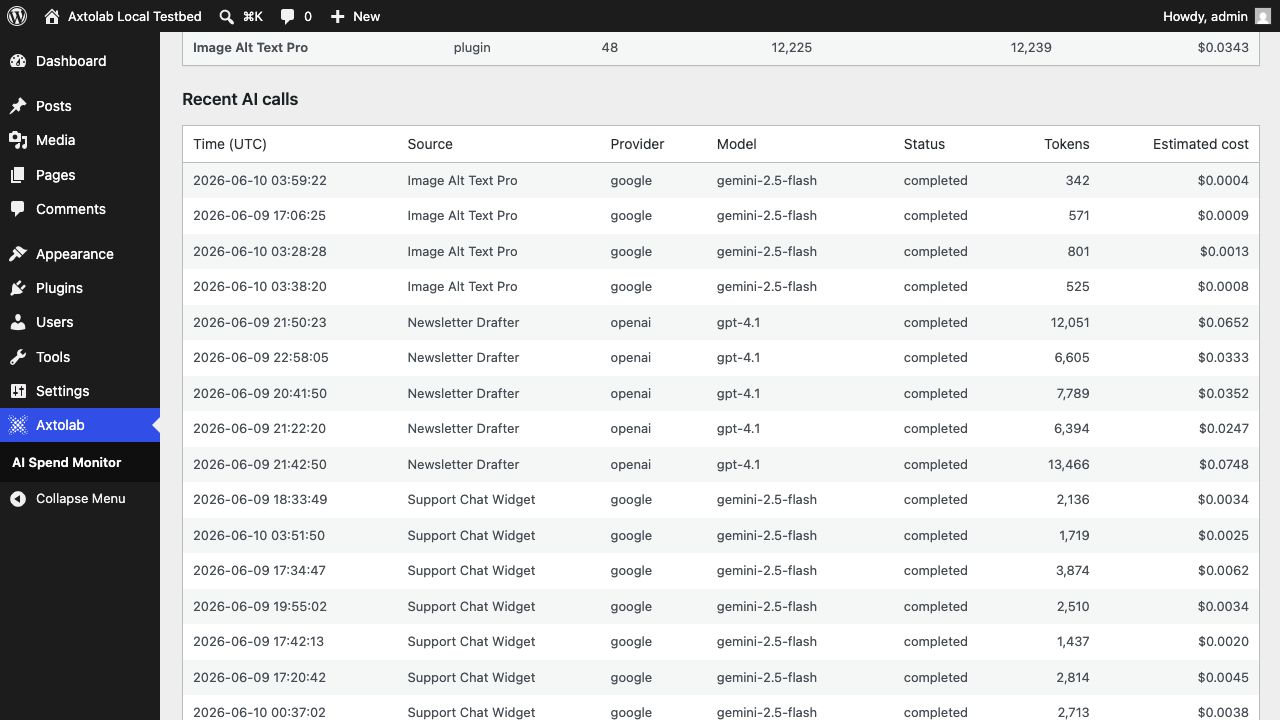
Per-plugin AI usage
See exactly which plugins and themes make AI calls — calls, prompt tokens, completion tokens. The calling plugin is identified automatically; no integration needed on their side.
Estimated cost per plugin
Token counts are exact — they match WordPress core's own AI request log line for line. Only the price per token is estimated, from published list prices (reviewed June 2026, refreshed via plugin updates). Caching discounts aren't modeled, so estimates err high, never hiding cost. Your invoice stays the source of truth.
Editable cost rates
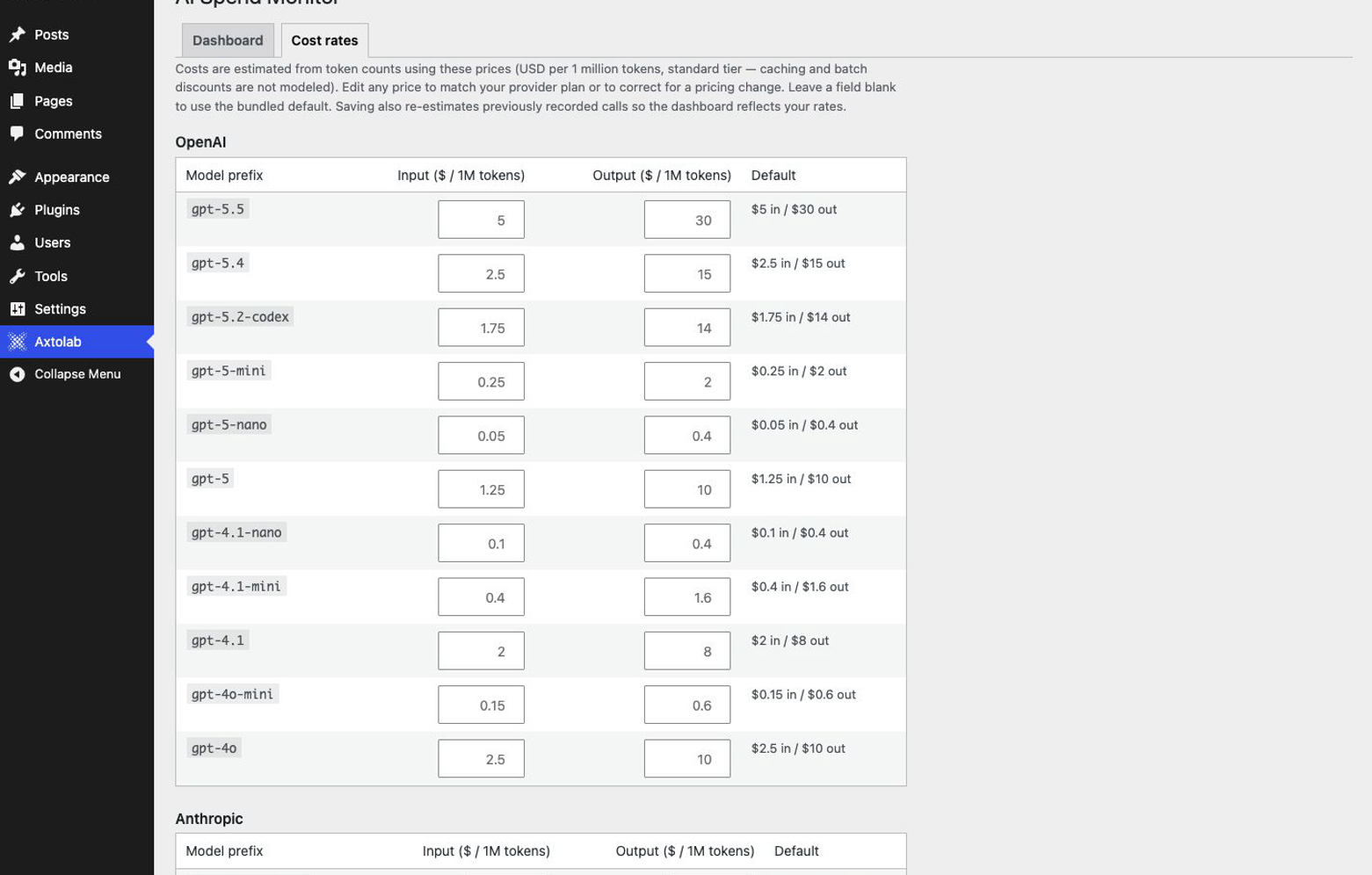
Match the estimate to reality. A Cost rates tab lets you edit the per-model input and output prices — for a contracted rate, a plan discount, or a provider price change — with no code. Saving re-estimates your already-recorded calls, so the whole dashboard reflects your prices, not just future ones.
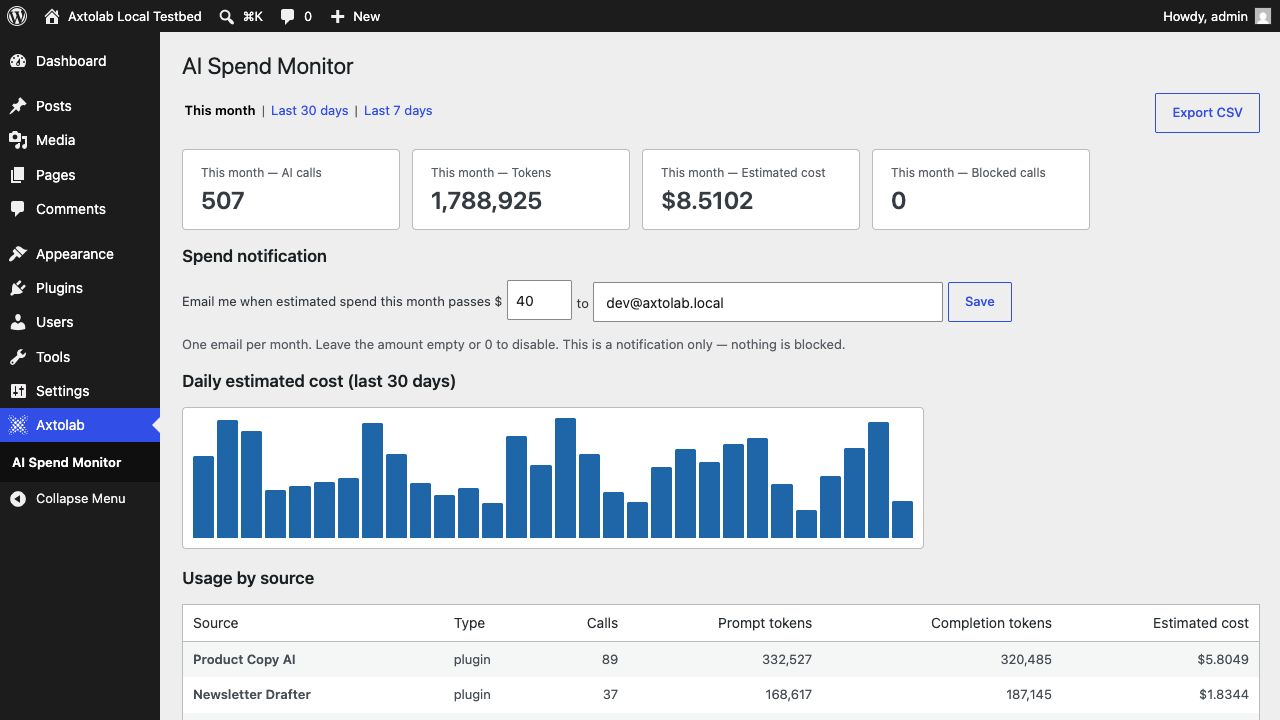
Daily cost chart
A 30-day view of estimated AI spend. A runaway loop is visible the day it starts, not three weeks later on the invoice.
Spend notification
Set a monthly dollar amount and get one email when estimated sitewide spend passes it. Free tier notifies — it never blocks. Blocking is the paid tier, and we say so here, not in the fine print.
CSV export
Download the recorded calls for any period — source plugin, provider, model, tokens, estimated cost per call — ready for a client report or your accountant.
Zero configuration
Activate it and it starts recording from the next AI call. No API keys, no account, no settings required.
One screen: this month's calls, tokens, estimated cost, and the 30-day trend.
Everything an admin checks before activating, answered here.
You're trusting this plugin on your site, so the footprint is on the page — not buried in a support thread.
Database footprint
One table (wp_aismon_usage), indexed on timestamp, source, and status. One small row (a few hundred bytes) per AI call, auto-pruned after 90 days — adjustable via the aismon_retention_days filter.
What is stored
Tokens, provider, model, capability, calling plugin, timestamp, estimated cost. Prompt and response content is never stored.
Accuracy
Token counts match WordPress core's own AI request log exactly (verified call-for-call against a live provider). Cost is tokens × list price — the only estimated component — and skews high for cached or discounted traffic, never low.
Network calls
None. Zero outbound HTTP requests — no telemetry, no account, no license check. Price-table refreshes arrive as ordinary plugin updates through WordPress's own update system; the plugin itself never calls out. It's 17 files of readable GPL PHP — ten minutes with the zip confirms all of this.
Uninstall
Removes its table, options, scheduled events, and transients. Export your CSV first if you want the history.
How it hooks in
Listens to the AI Client's own documented lifecycle hooks (wp_ai_client_after_generate_result). No core patching, no HTTP interception.
On WordPress 6.x
It activates, tells you it needs the WordPress 7.0 AI Client, and records nothing. No errors, no surprises.
Who builds it
Axtolab — the team behind the Axtolab AI Connector, live on the WordPress.org directory (wordpress.org/plugins/axtolab-ai-connector). GPLv2, like everything we ship for WordPress. More at axtolab.com/about.
Seeing the spend is free. Stopping it is the upgrade.
AI Spend Governance adds per-plugin and sitewide monthly budgets, alerts at 50/75/100%, a hard stop that blocks calls before your provider is charged, and a sitewide kill switch. First year $39/yr during Founder Early Beta.