Getting started
Install AI Spend Monitor and see per-plugin AI usage and cost on your WordPress 7.0 site.
Updated
AI Spend Monitor is a free plugin that records every call made through the WordPress 7.0 AI Client and shows you — per plugin — calls, tokens, and estimated cost.
Requirements
- WordPress 7.0 or newer (the native AI Client ships with 7.0).
- An AI provider configured under Settings → Connectors (OpenAI, Anthropic, or Google). This is your site’s normal AI setup — the Monitor itself needs no keys.
Install
- Install AI Spend Monitor from the WordPress.org plugin directory — search “Axtolab AI Spend Monitor” under Plugins → Add New, or upload the zip.
- Activate it. That’s the whole setup — recording starts with the next AI call any plugin makes.
The dashboard
Open Axtolab → AI Spend Monitor:
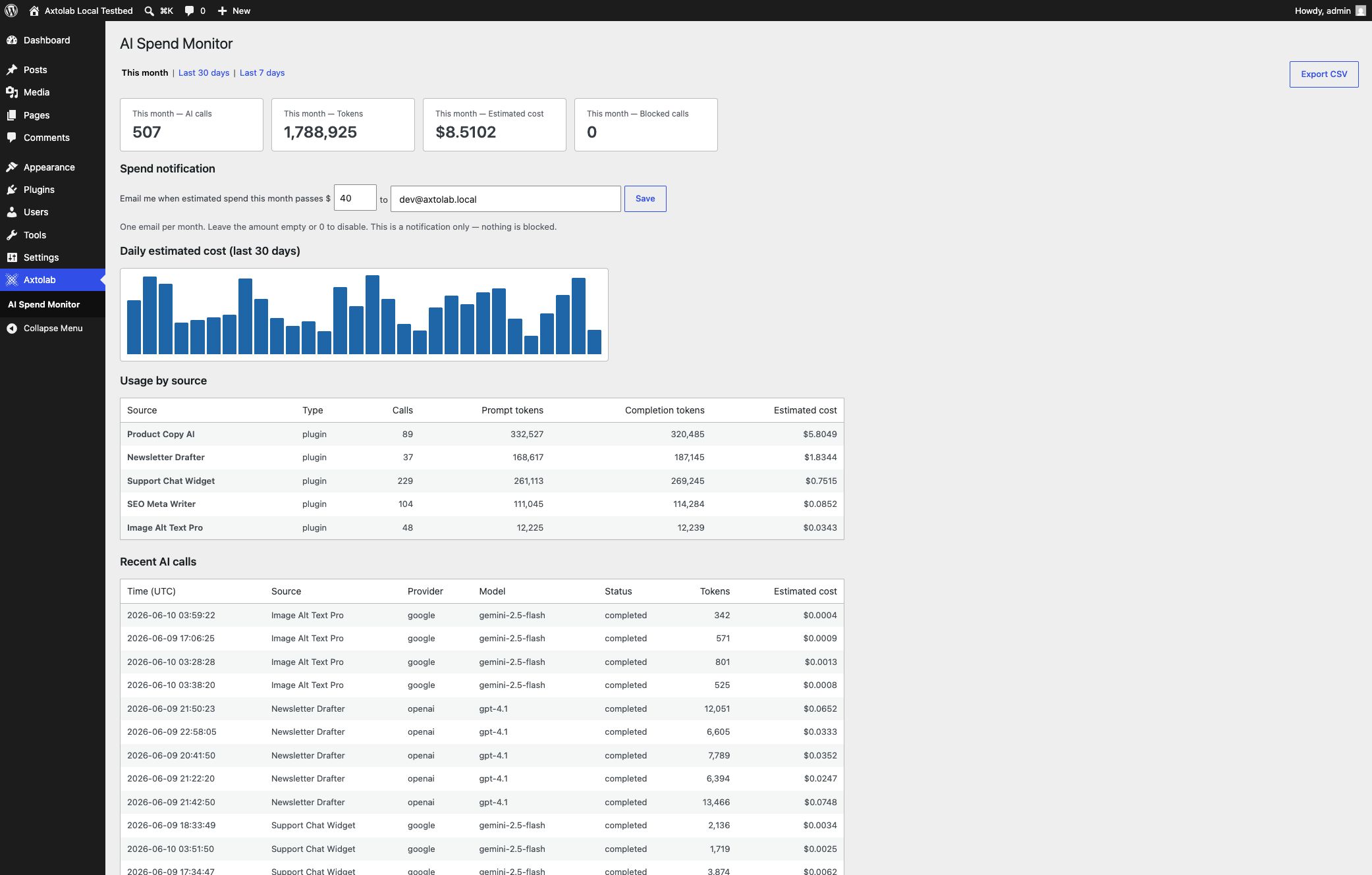
- Summary cards — calls, tokens, estimated cost, and blocked calls for the selected period (this month, last 30 days, last 7 days).
- Daily estimated cost — a 30-day bar chart; spikes are visible the day they happen.
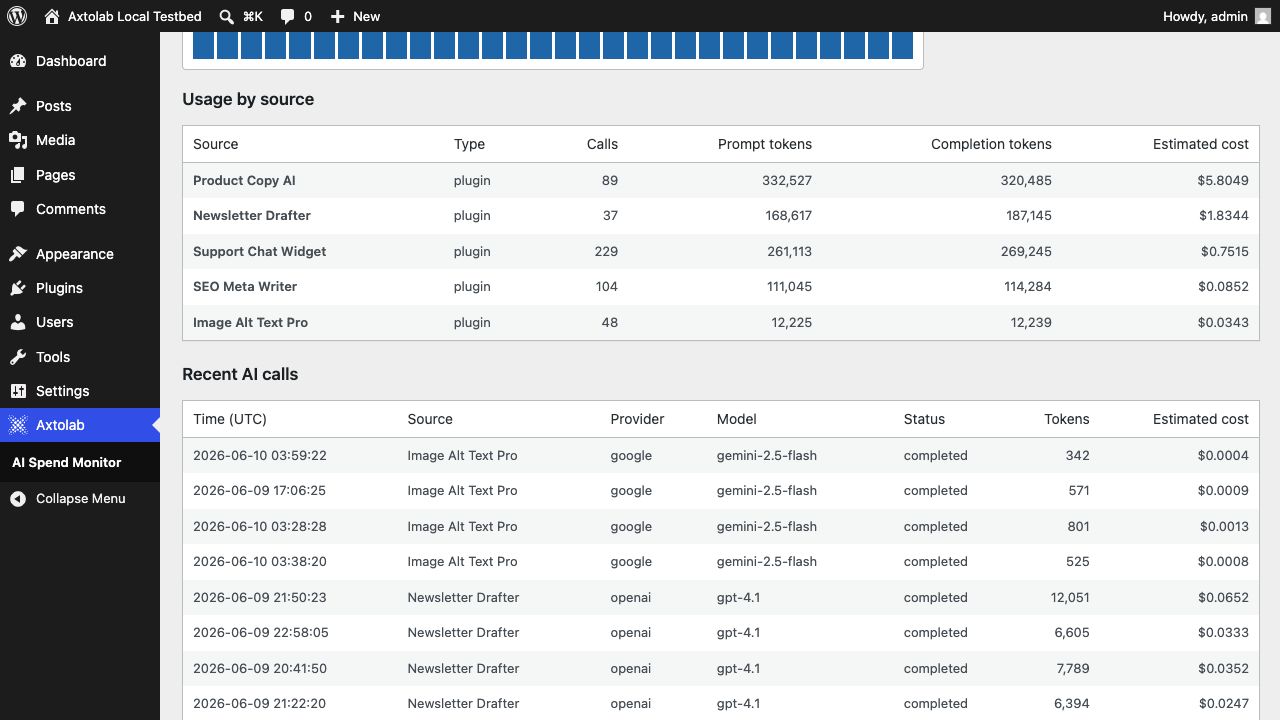
- Usage by source — every plugin and theme that makes AI calls, with token counts and estimated cost:
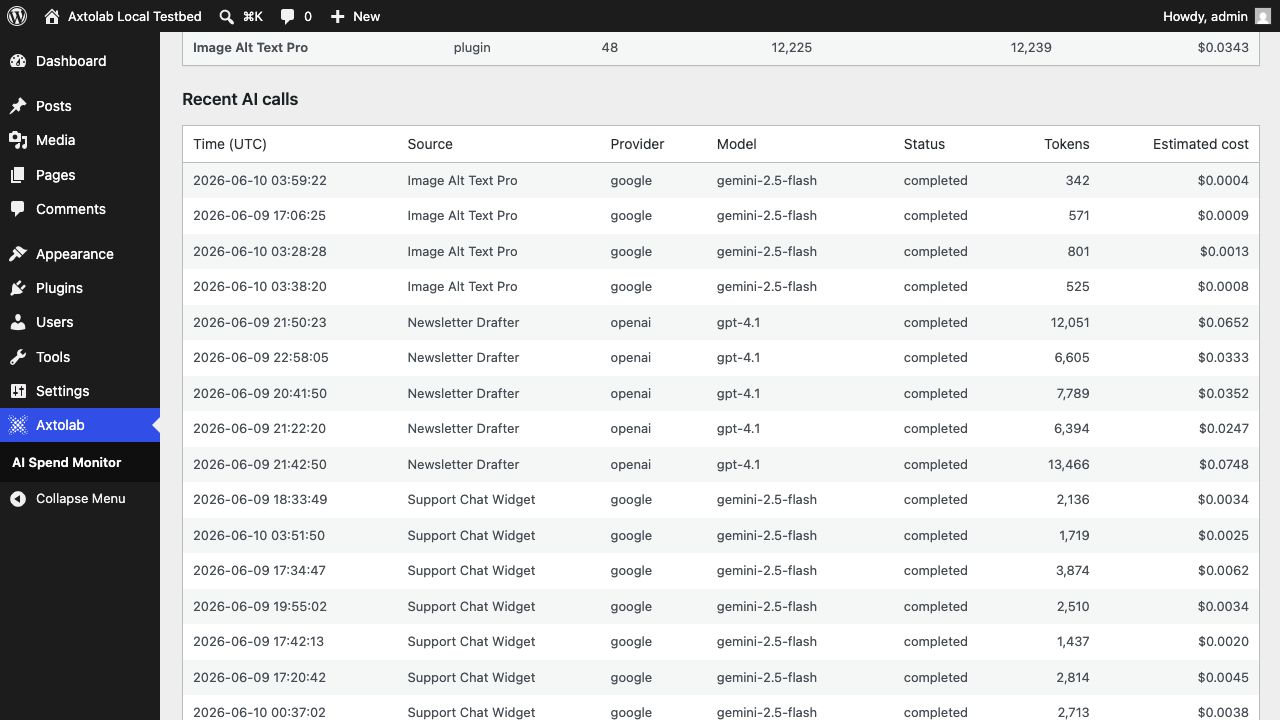
- Recent AI calls — the latest calls with source, provider, model, and tokens:
Spend notification
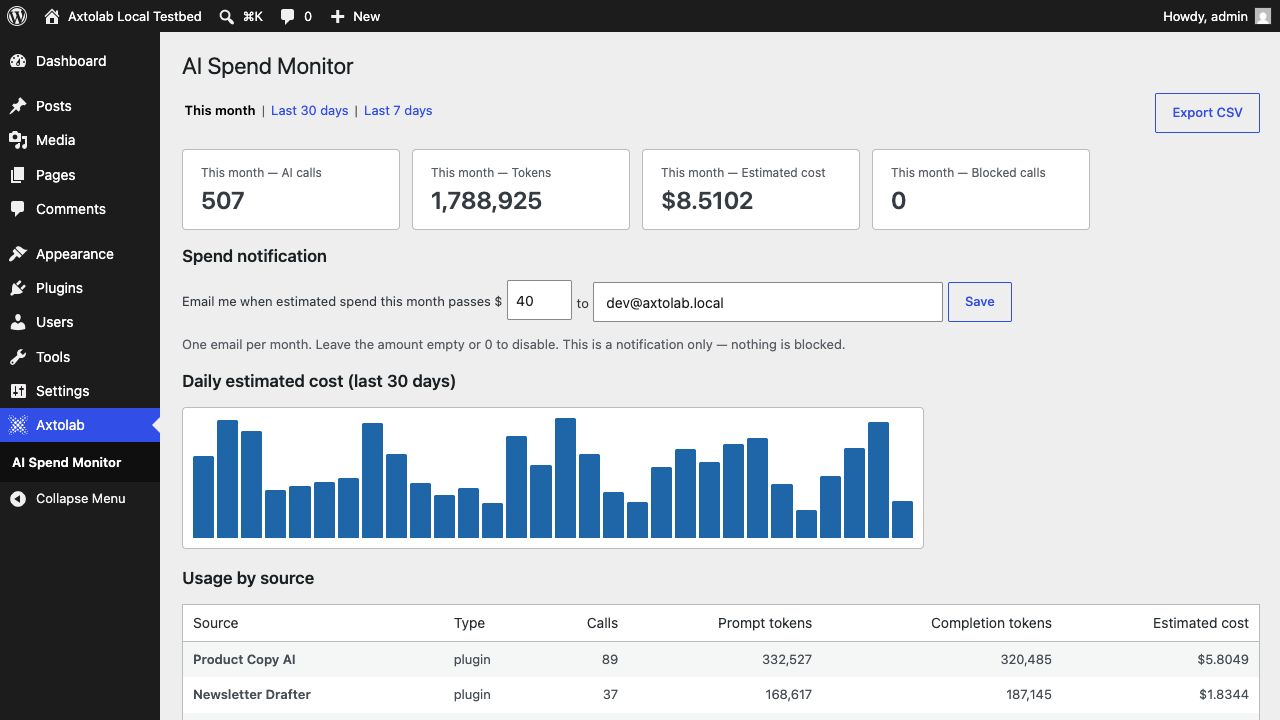
On the dashboard, set a monthly dollar amount and an email address. You’ll get one email per month when estimated sitewide spend passes the amount. This is a notification only — nothing is blocked. (Blocking is what AI Spend Governance adds.)
CSV export
The Export CSV button downloads the recorded calls for the selected period — source plugin, provider, model, tokens, and estimated cost per call — ready for accounting or review.
Cost rates
The estimates use a bundled price table (USD per 1 million tokens, standard tier) for popular OpenAI, Anthropic, and Google models. To match your own pricing — a contracted rate, a plan discount, or a provider price change — edit the prices on the Cost rates tab:
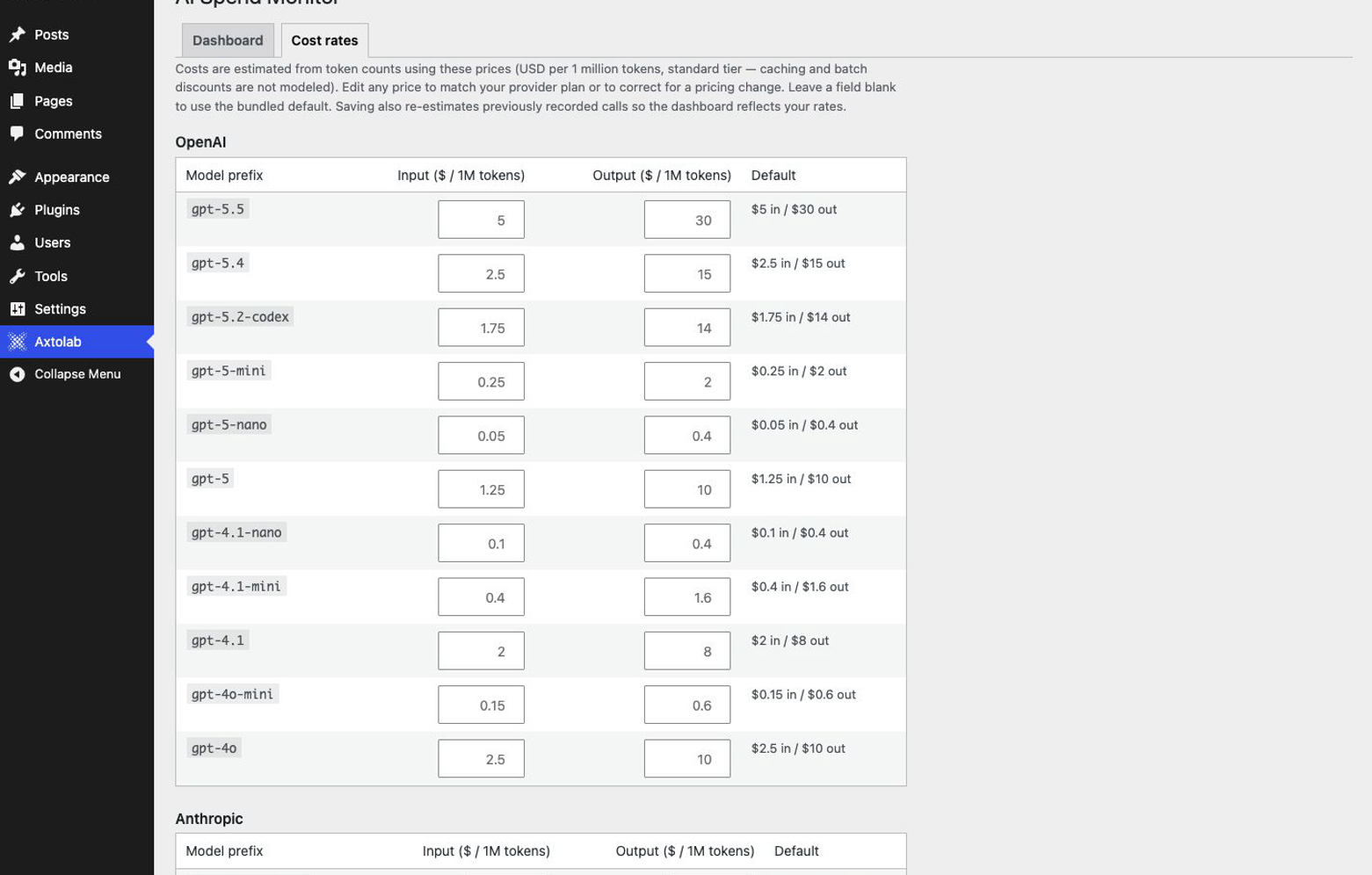
- Open Axtolab → AI Spend Monitor and click the Cost rates tab.
- Edit the Input and/or Output price for any model (USD per 1M tokens). Leave a field blank to keep the bundled default — only your changes are stored, so models you don’t touch keep tracking future default-price updates as the plugin is updated.
- Click Save rates. Saving also re-estimates your previously recorded calls, so the whole dashboard reflects your prices — not just calls going forward.
No code is required. Models not in the table record tokens but show ”—” for cost; add a rate for them on this tab or, for programmatic control, via the aismon_cost_rates filter.
About the cost figures
Costs are estimates: recorded token counts × published list prices per model (standard tier). Caching and batch discounts are not modeled, and providers change prices — treat your provider invoice as the source of truth. Adjust the per-model prices on the Cost rates tab (no code), and developers can layer further changes on the aismon_cost_rates filter.
Privacy
All data stays in your WordPress database. The Monitor stores token counts and metadata only — never prompt or response content — and makes no external calls of its own. Records are pruned after 90 days (filterable via aismon_retention_days).
Question about this page?
This form tags your question with the product, docs page, and category so support can triage it quickly.