Troubleshooting
Nothing recorded, missing costs, or no notification email — how to diagnose AI Spend Monitor.
Updated
Nothing appears in the dashboard
Work through these in order:
- Is the site on WordPress 7.0 or newer? The Monitor relies on the AI Client that ships with 7.0. On older versions it activates but records nothing (and says so in an admin notice).
- Is an AI provider configured? Check Settings → Connectors. No provider means no AI calls happen at all — nothing to record.
- Has any plugin actually made an AI call since activation? Recording starts with the next call after activation. Trigger an AI feature deliberately (generate a description, ask the chat widget something) and refresh the dashboard.
- Does the plugin you expected bypass WordPress? Plugins that ship their own API key and call OpenAI or Anthropic directly never pass through the AI Client, so the Monitor cannot see them. If a plugin you know uses AI never appears after step 3, this is almost always why. Check that plugin’s settings for its own API-key field — that’s the tell.
A call shows ”—” instead of a cost
The model used isn’t in the bundled price table (niche or brand-new models). The tokens are still recorded accurately. Add a rate for it on the Cost rates tab in the dashboard, or — for programmatic control — with the aismon_cost_rates filter (developer reference).
Dashboard numbers don’t match my provider invoice
Expected, within reason. Token counts are exact (they match WordPress core’s own AI request log). The estimated part is the price per token: the bundled table uses published list prices, and provider-side discounts (prompt caching, batch pricing) aren’t modeled — so estimates err high. If the gap matters for your reporting, set your contracted prices on the Cost rates tab (saving re-estimates your recorded calls too) or via the aismon_cost_rates filter.
The spend notification email never arrives
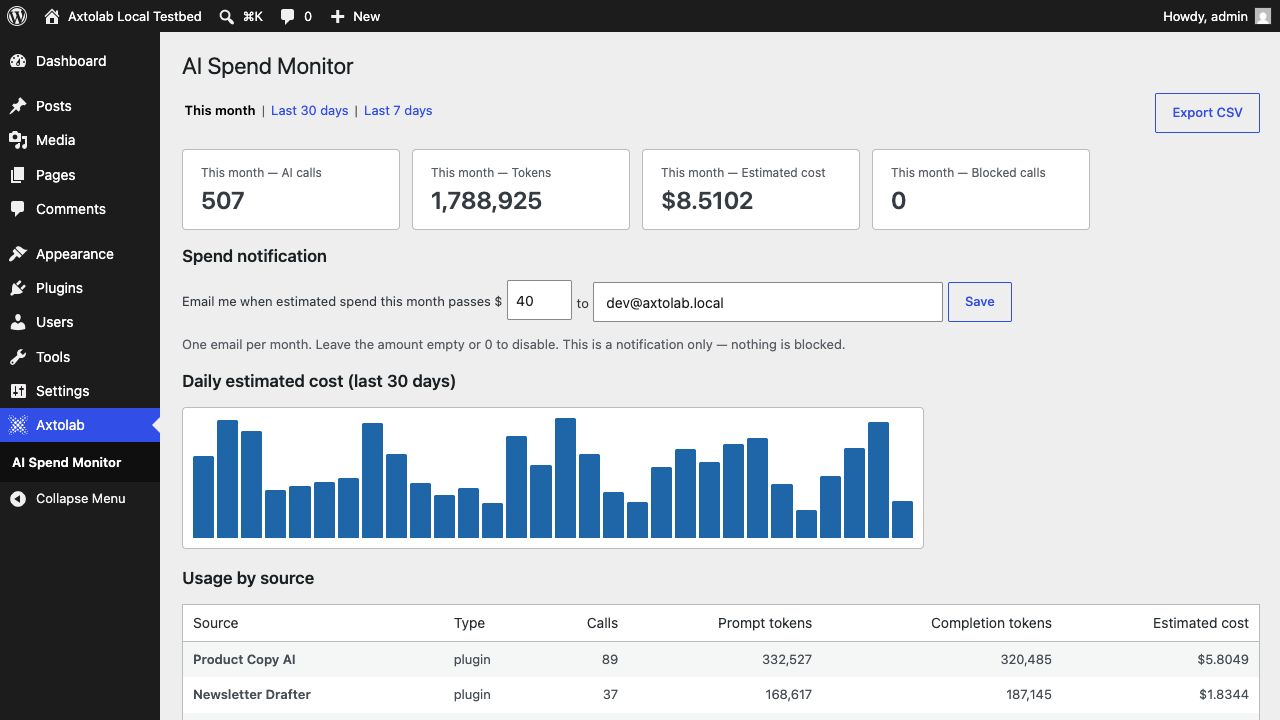
- Confirm the amount is set above 0 and the email address is right (dashboard → Spend notification).
- The notification sends once per calendar month, the first time estimated spend passes the amount. If it already fired this month, it won’t repeat until next month.
- Test that your site can send mail at all — the Monitor uses WordPress’s standard
wp_mail(). If order/password-reset emails don’t arrive either, the fix is an SMTP plugin, not the Monitor.
The table is growing large
One small row per AI call, auto-pruned after 90 days. On very high-volume sites, shorten the window with the aismon_retention_days filter (export your CSV first if you need the history).
Still stuck?
Contact support with your WordPress version, the plugin you expected to see recorded, and a screenshot of the dashboard.
Question about this page?
This form tags your question with the product, docs page, and category so support can triage it quickly.